
Work out profit with the Profit Calculator
Enter your selling price and costs to see net profit per unit, margin, ROI, break-even price and a sensitivity grid. Works for FBA and FBM.
Watch the 1:23 video lesson or follow the steps below.
The Profit Calculator is free on every plan. Use it with your real supplier quotes before you commit to a product.
Steps
- Open the Profit Calculator tab (or scroll to Profit calculator for this product in any product's details panel, which fills in the price and fees for you).
- Enter your numbers:
- Selling price ($)
- Supplier unit cost ($)
- Shipping & freight / unit ($) and Prep / unit ($)
- Referral fee (%): Amazon's category referral fee, often 15%
- FBA fulfillment fee ($)
- Storage / unit ($) and Other Amazon fees ($)
- Advertising (% of price) and Returns (% of units)
- Other costs / unit ($)
- Monthly units
- The results update as you type.
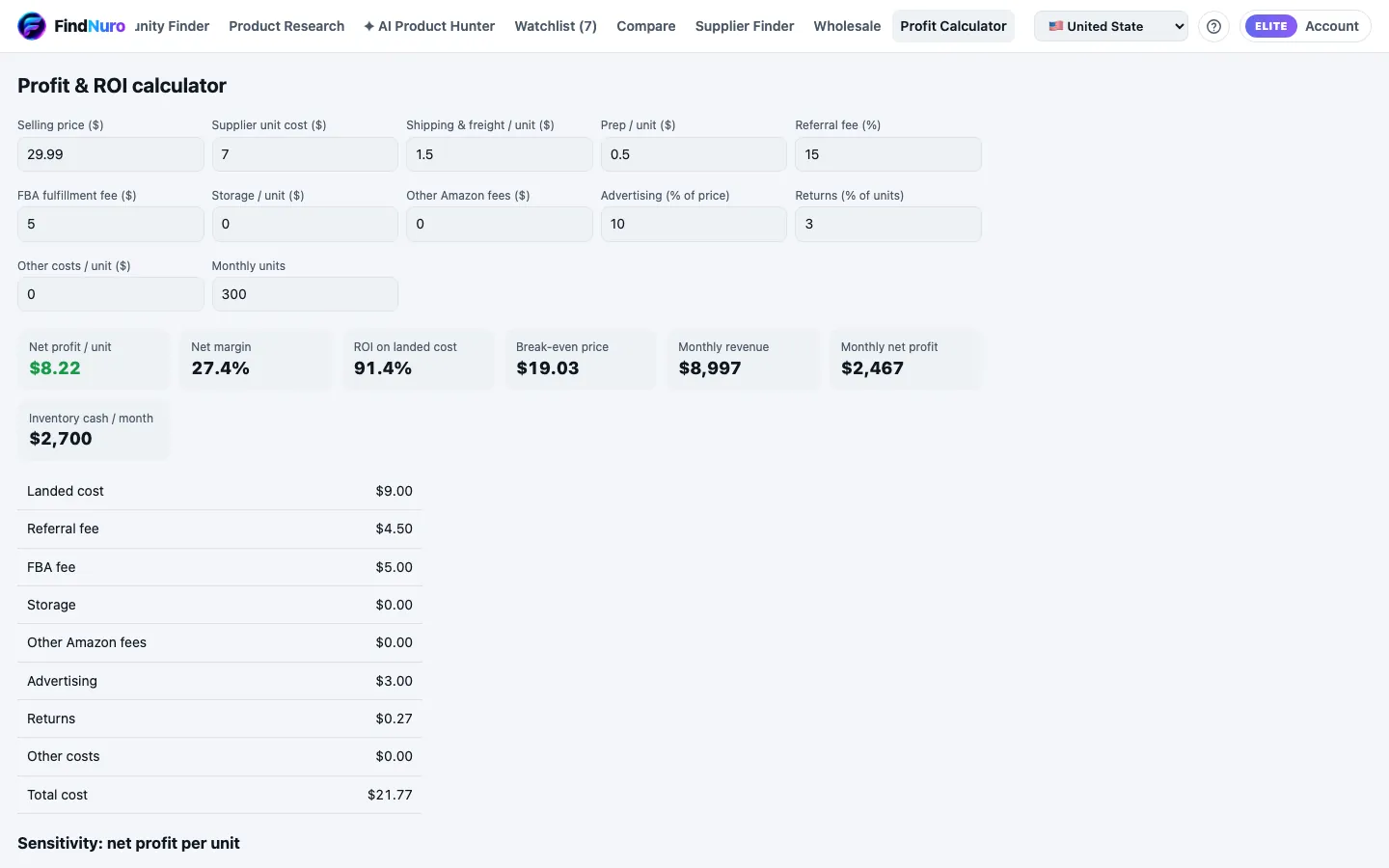
Read the results
- Net profit / unit, Net margin and ROI on landed cost
- Break-even price: the lowest price that doesn't lose money
- Monthly revenue, Monthly net profit and Inventory cash / month
- A full cost breakdown, and a Sensitivity grid showing net profit per unit if the price or the cost moves by up to 20%
FBA or FBM?
The calculator has one fulfilment field, FBA fulfillment fee ($):
- FBA: enter Amazon's FBA fee (the product details panel shows a provider estimate; confirm it in Seller Central).
- FBM (you ship): enter your own cost to pick, pack and ship one order instead, and set Storage to your own storage cost.
Example
You sell at $29.99, the supplier charges $7, freight is $1.50, prep $0.50, referral fee 15%, FBA fee $5, ads 10%, returns 3%. The calculator shows your net profit per unit, margin and ROI. Change the supplier cost to $8 and watch the sensitivity grid to see how much room you have.
Frequently asked questions
Does the calculator include VAT?
For marketplaces with VAT, a note explains how VAT is treated. Enter prices the way the note describes.
Is what I type saved?
Calculator inputs are used to calculate your results. See the Privacy Policy for details.